Inventory
For correct status in the old year, before closing the year perform an inventory (inventory instructions can be found at Inventory):
- print the warehouse status, count the actual stock and note the differences on that paper
- enter inventory shortage or surplus or write-off (if breakage, spoilage, etc.)
WIN Devices
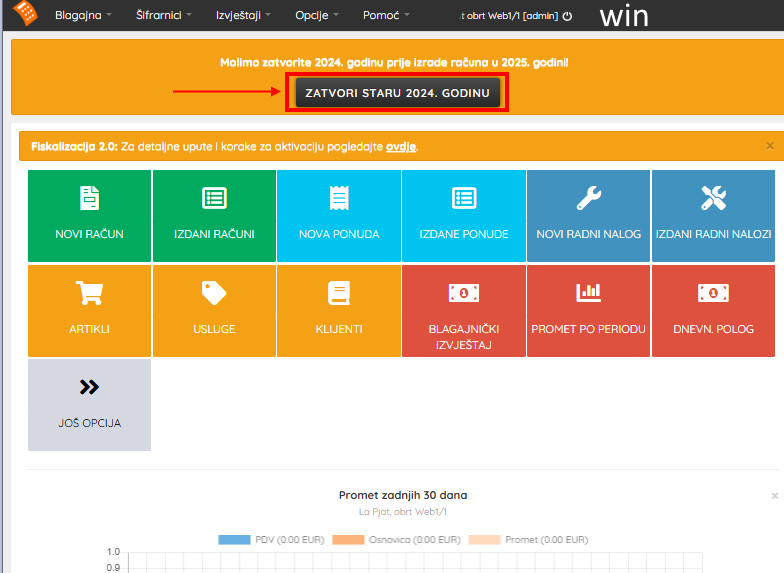
1. Click the CLOSE OLD YEAR button
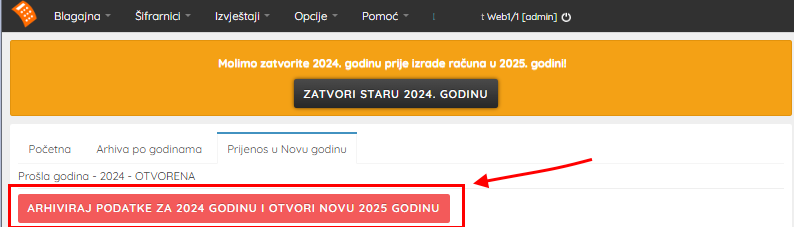
2. After arriving at the new view, click the ARCHIVE DATA AND OPEN NEW YEAR button
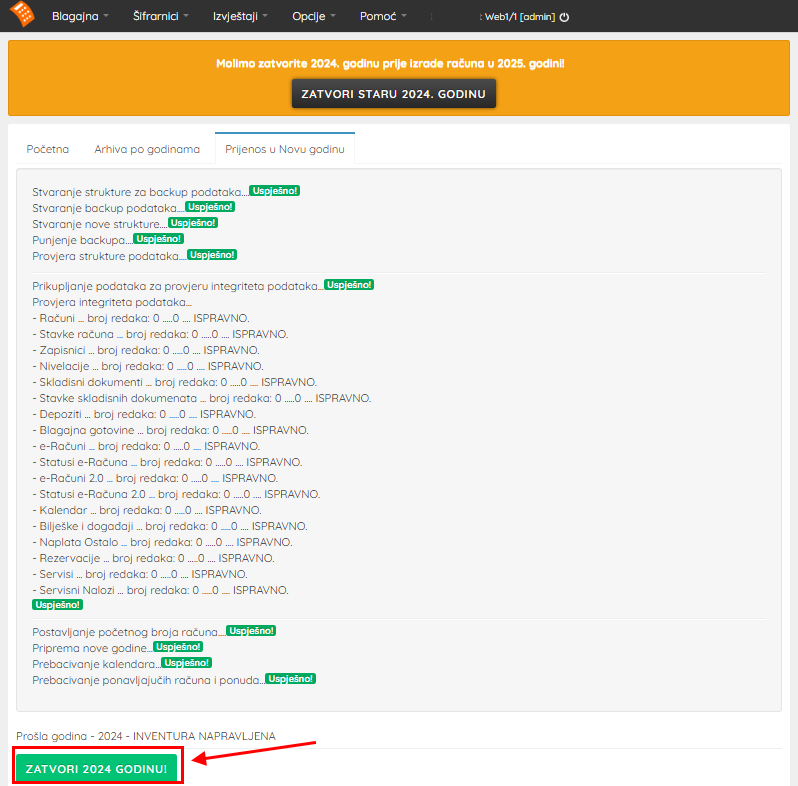
3. After transferring data from the old to the new year, click the CLOSE YEAR! button
4. You can verify the archive status at the link Archive
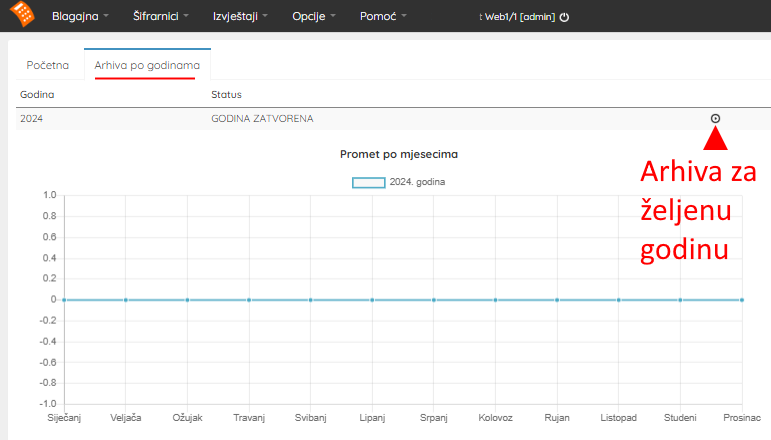
Old year properly closed!
MOB Devices
1. Click the CLOSE OLD YEAR button
2. After arriving at the new view, click the ARCHIVE DATA AND OPEN NEW YEAR button
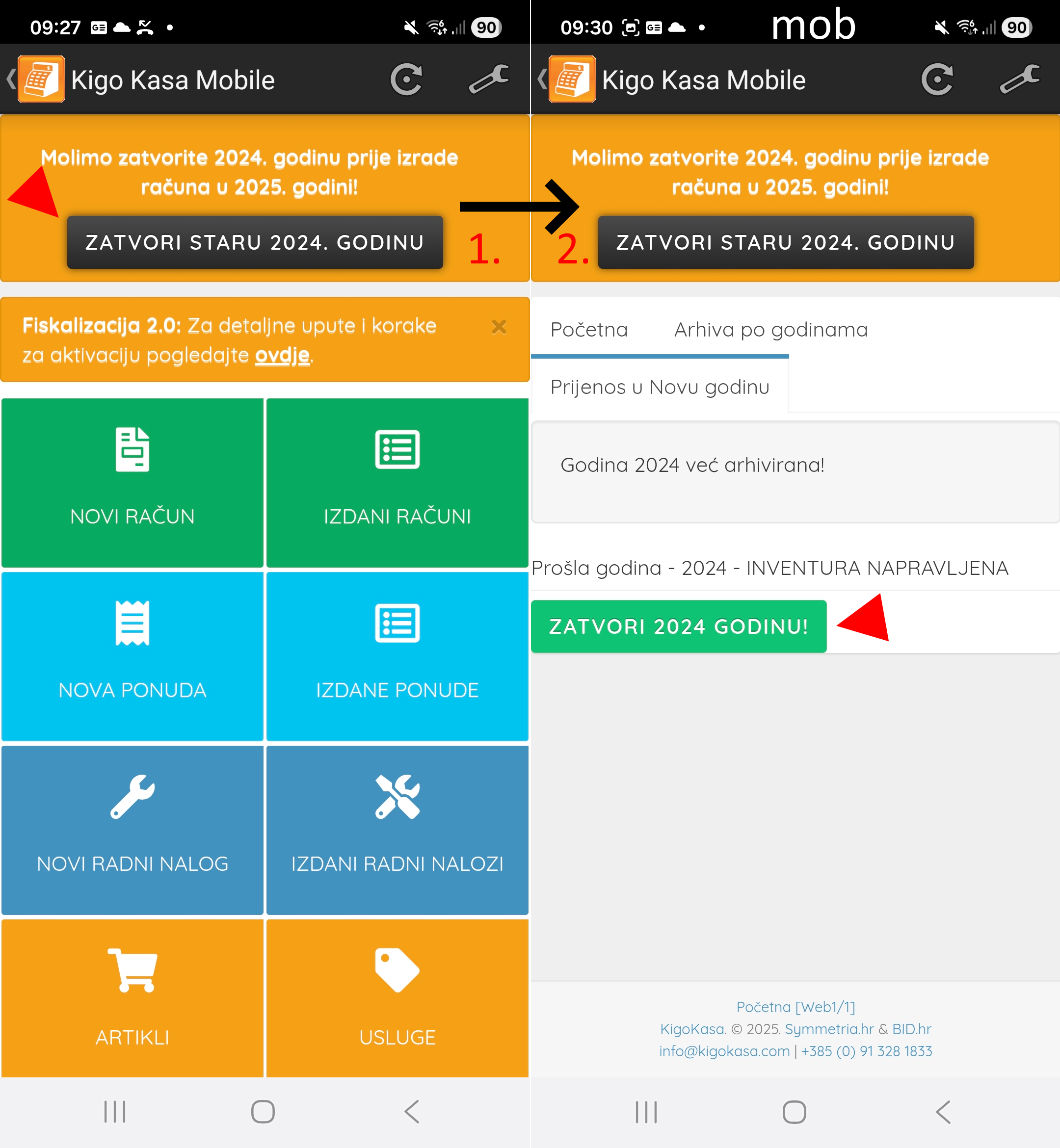
3. After transferring data from the old to the new year, click the CLOSE YEAR! button
4. You can verify the archive status at the link Archive
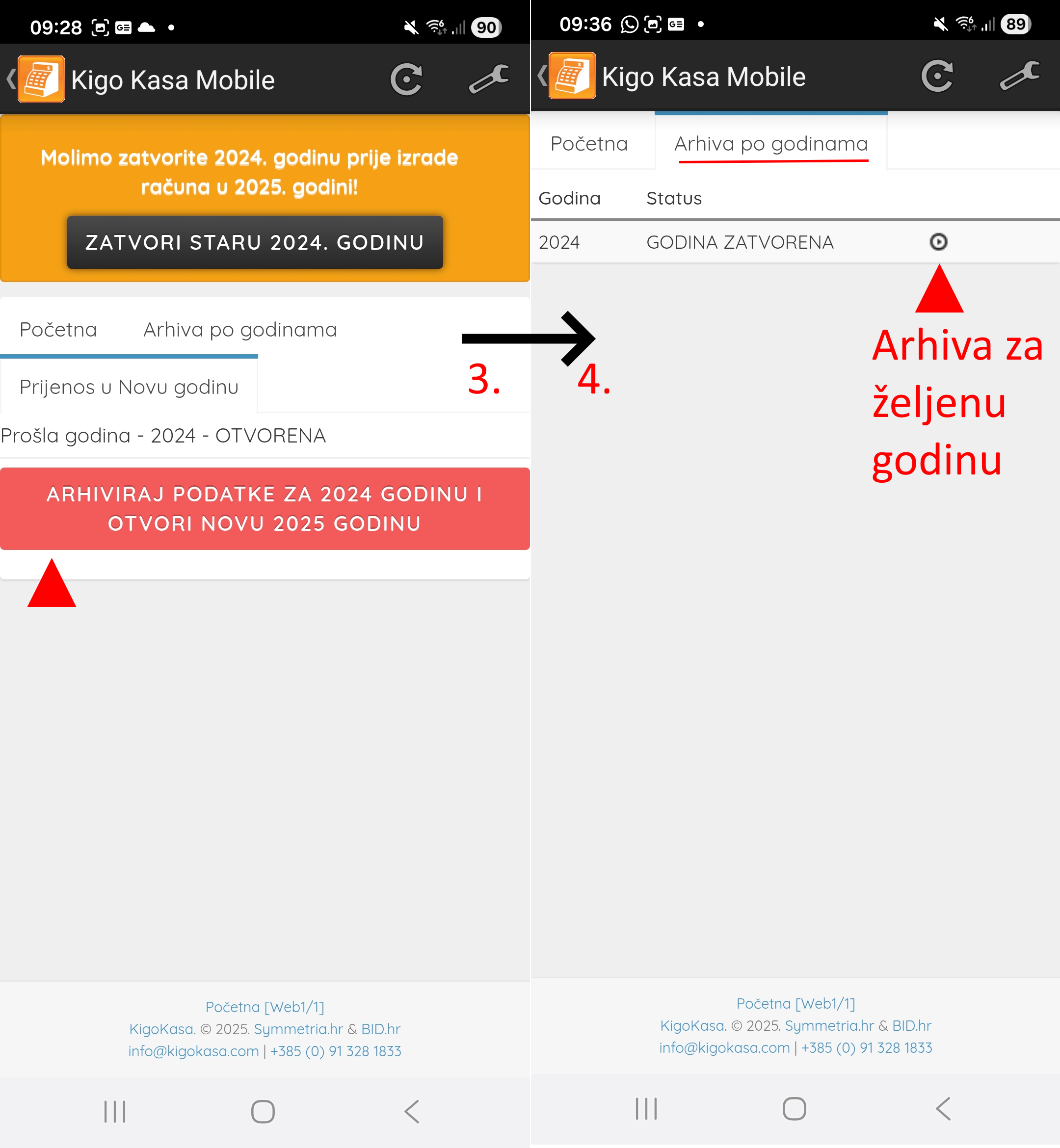
Old year properly closed!