Kigo – Consignment Sales
Consignment sales procedure
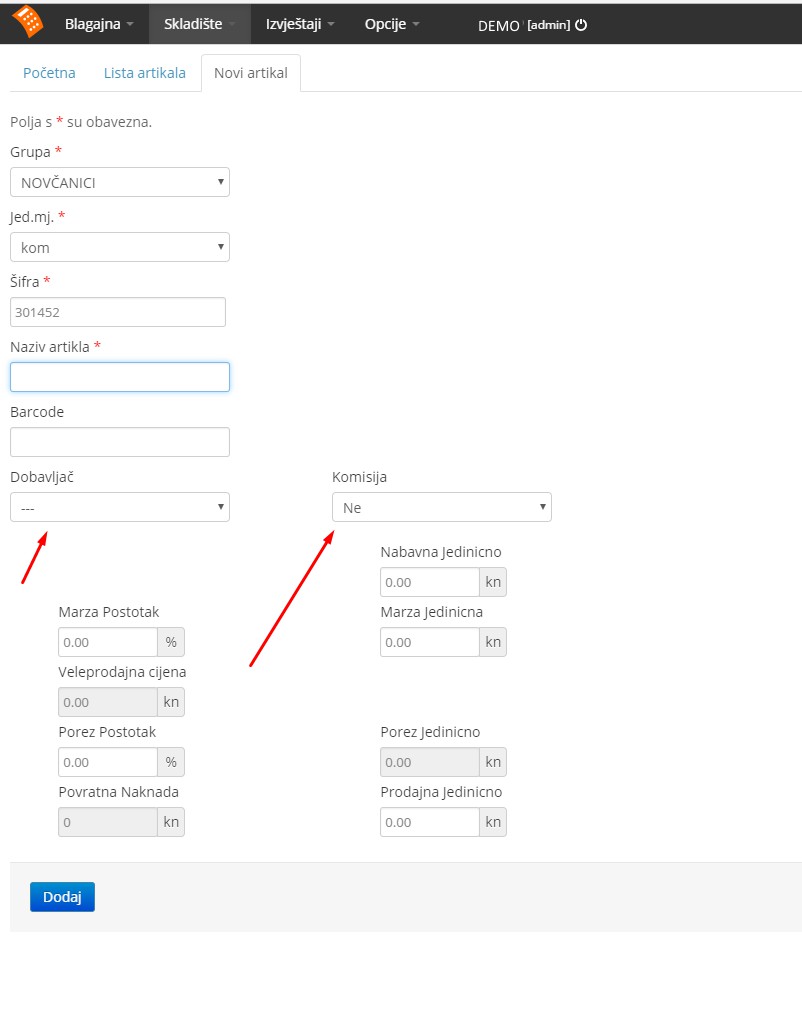
1. Enter a new item and mark it as consignment, assigning the supplier it comes from
[cannot use an existing item unless it has never been used in any document]
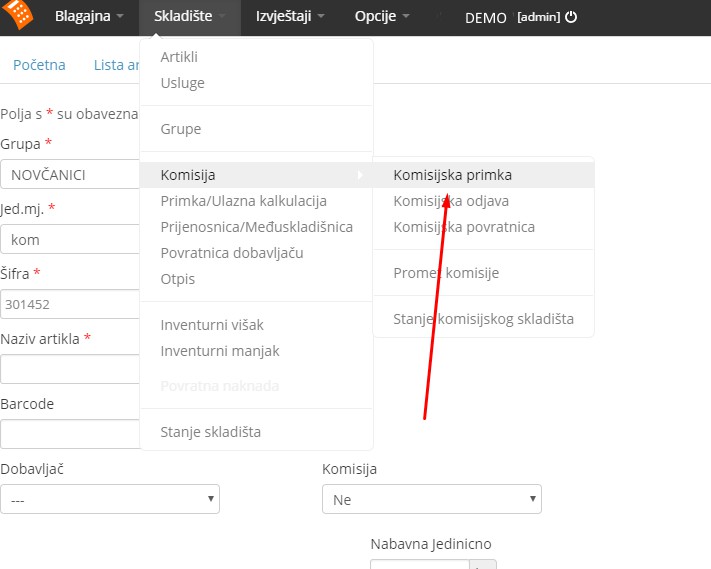
2. Receive the consignment items into the warehouse via a consignment goods receipt
3. Sell the goods normally, whether consignment or own stock
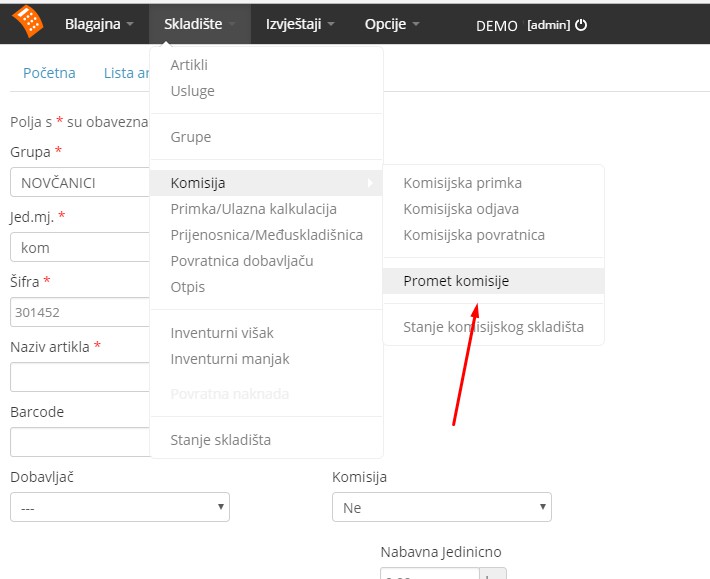
4. At the end of the month generate the consignment turnover report and send it to the supplier for review, based on which they will issue an invoice for the sold goods (this is effectively when the goods are purchased)
5. When the supplier's invoice arrives, create a regular goods receipt (not a consignment receipt) using the consignment items
6. Once the goods receipt is created, a deregistration option will be available for that receipt, which closes the entire process... both the regular warehouse and the consignment warehouse are settled...
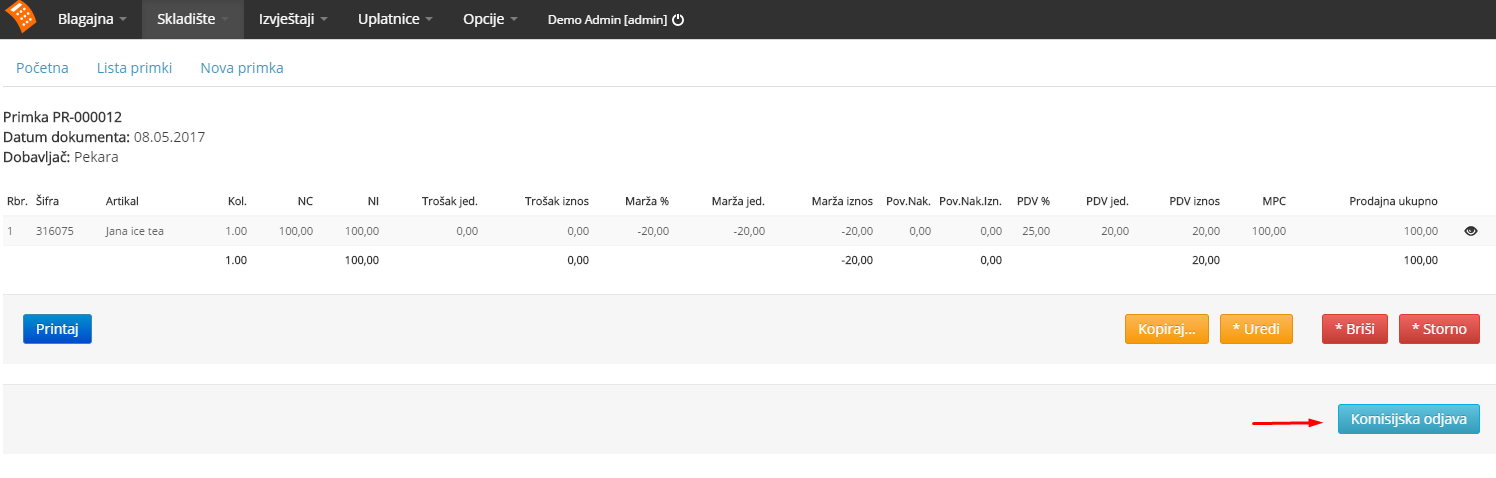
... because when you create a consignment goods receipt you charge the consignment warehouse, and when you sell those goods you effectively send your regular warehouse into negative, and when you generate the consignment turnover report and receive the supplier's invoice and create a regular goods receipt, only then do you close that negative in your regular warehouse, while the receipt deregistration closes the positive in the consignment warehouse.