Instructions for year-end closing and data transfer
This module is used for:
- archiving data from the current year
- transferring opening quantities to the new year
- final closing of the old year
IMPORTANT: The previous year must be closed before creating documents in the new year.
How to begin?
When you log into the application a message is displayed stating that the old year needs to be closed, with a button that takes you to the year-end closing page.

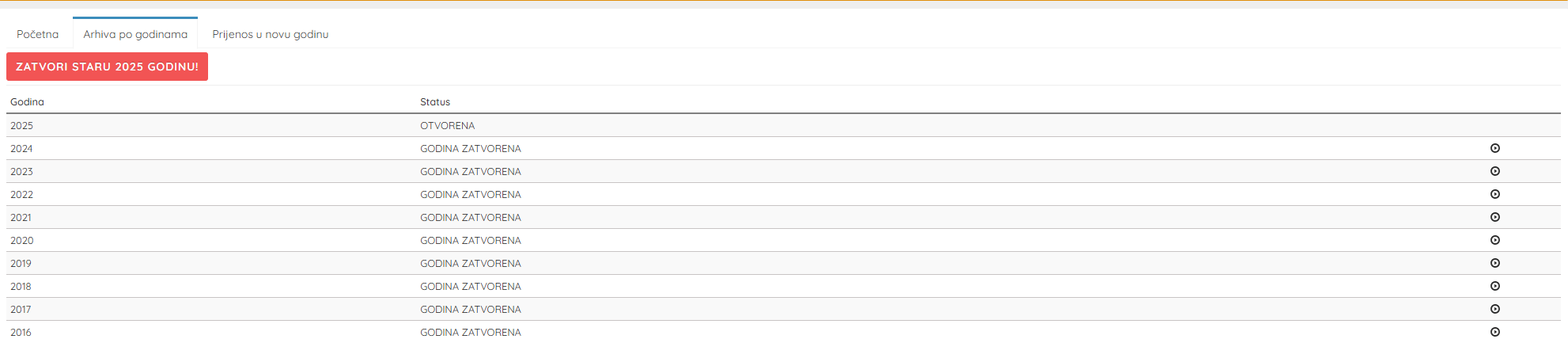
You can also close the old year from the archive, where the Archive by Year tab displays a list of all business years and their status.
Statuses:
- OPEN – the year is active and can be worked in
- YEAR CLOSED – the year has been archived and locked
Here you can check whether a year has already been closed.
Transfer to the new year
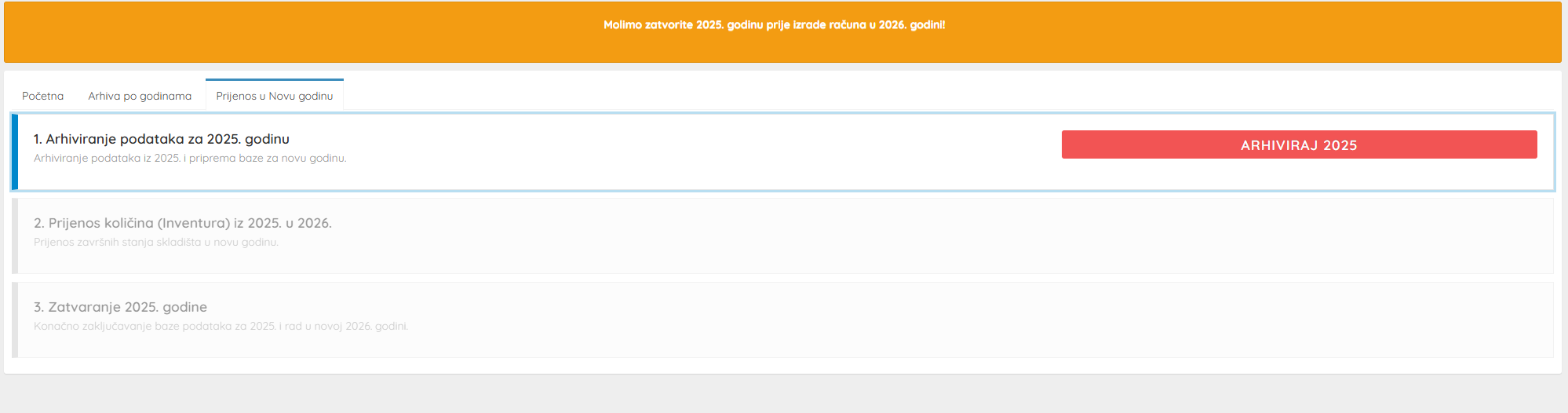
The year-end closing procedure consists of 3 steps.
Archiving data
Click the button:
ARCHIVE [previous year]This procedure causes the system to:
- create a data backup
- verify the database structure
- verify data integrity
- prepare the database for the new year
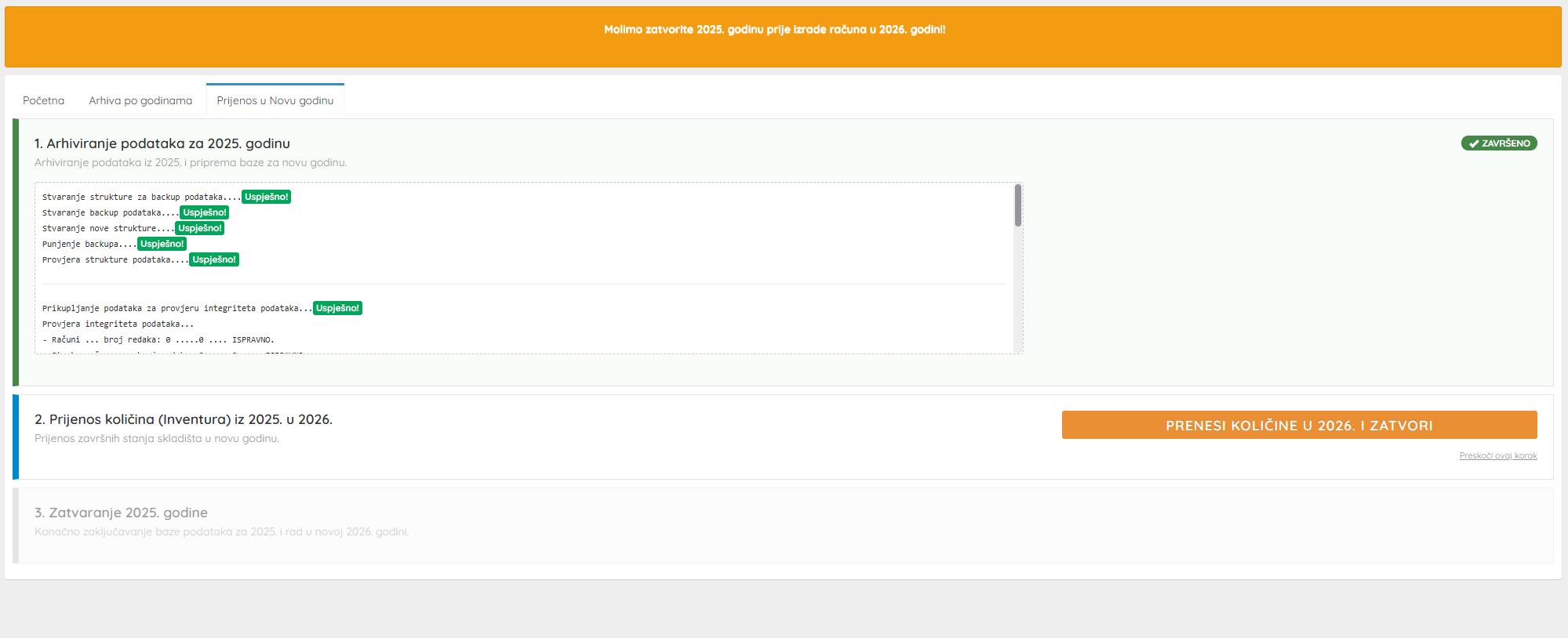
Transfer quantities to the new year
Click the button:
TRANSFER QUANTITIES TO [new year] AND CLOSEThis step:
- transfers closing warehouse quantities
- sets opening quantities for the new year
- locks the old year's status
This step is mandatory if you manage a warehouse and stocktaking. Otherwise you can click the Skip this step option.
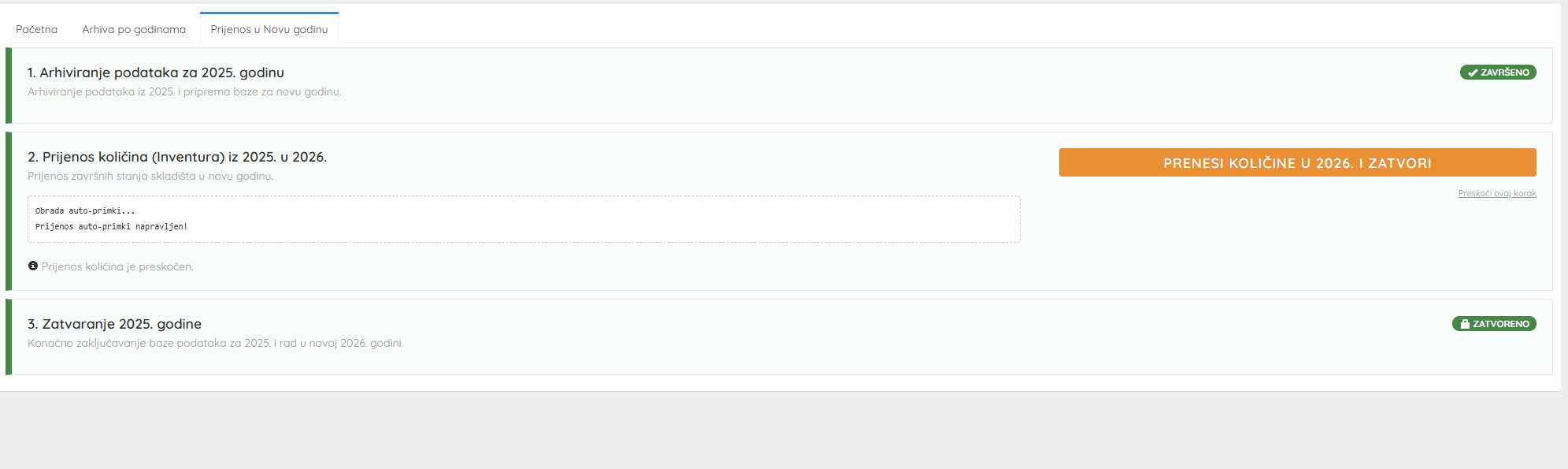
Closing the year
In this step:
- the year is finally locked
- data in that year can no longer be modified
- the new year becomes active for work
After completion, the Archive by Year tab will show:
- Old year → YEAR CLOSED
- New year → OPEN
Notes
Before starting the procedure verify:
- ✔ All invoices have been issued
- ✔ Stock status is accurate
If you attempt to create invoices in the new year without closing the previous one, the system will display a warning.
Year-end closing can only be performed once.