Kigo - Changing VAT Status
VAT Change Procedure
If you are entering or leaving the VAT system, at the end of the year you should:
- perform an inventory
- close the year (in the program)
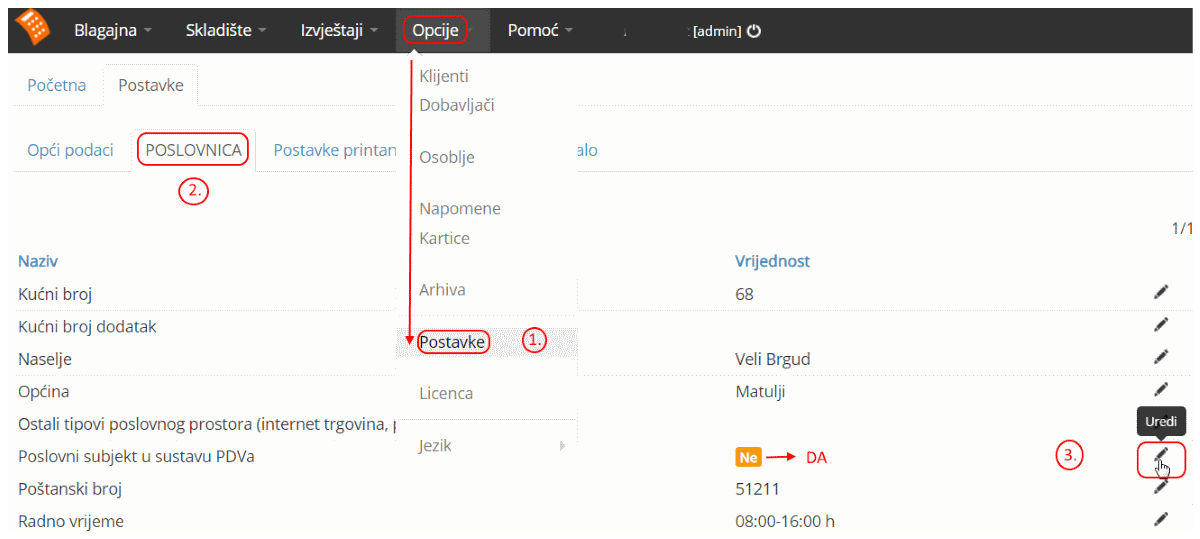
- change the current VAT status in settings (in the program)
After that, you need to change the VAT amount in items or services (from 25% => to 0% or vice versa) for each individual item or service. Warehouse → SKU books → Items → Edit (pencil icon); the same applies to services.
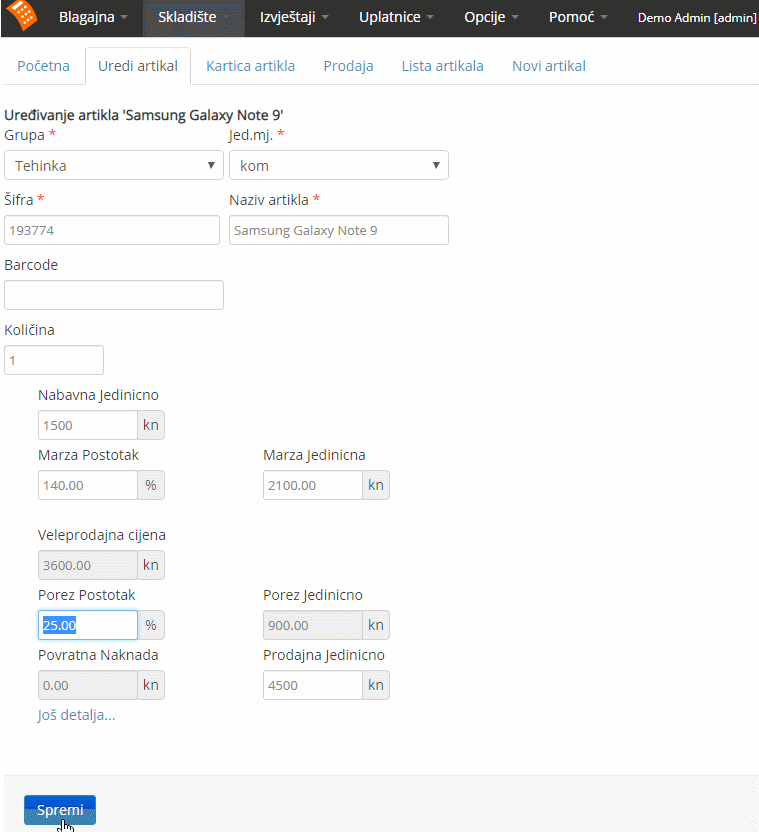
Changes apply immediately after saving - no logout or re-login is needed.